

SERVICE & TECHNICAL SUPPORT
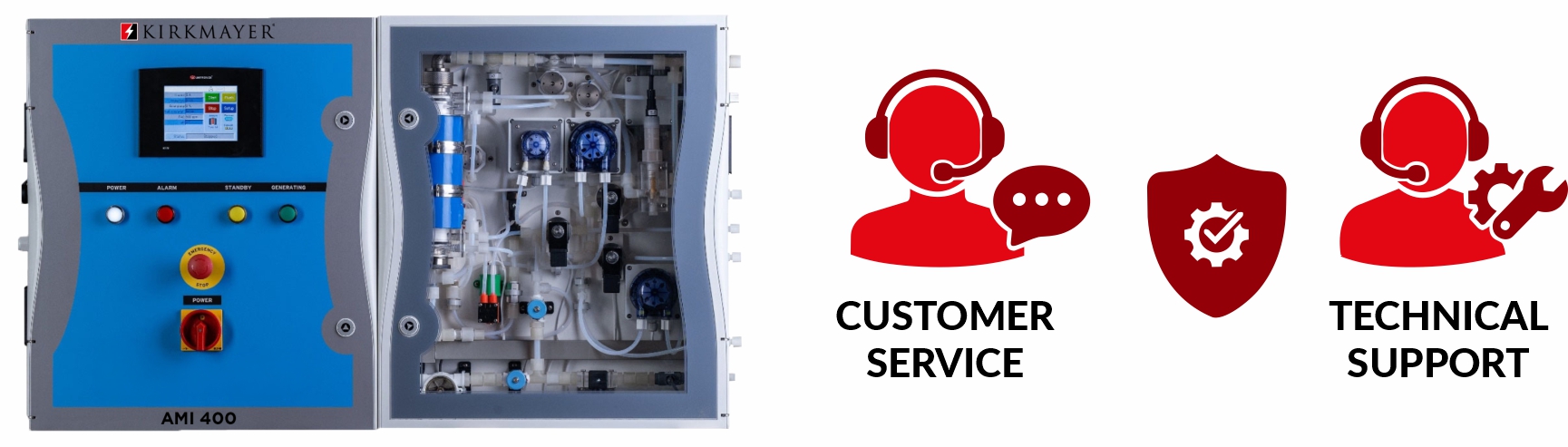
SERVICE | REPAIR | TECHNICAL SUPPORT
Overview
It will be important for you to learn and identify key components that make up your Kirkmayer® System Generator. This will make servicing your system much easier to avoid a costly on-site service call. Most issues can be handled by our customer service and technical support team remotely.
Our Kirkmayer® System Generator user manuals will provide you with complete instructions on how to set up your system generator for the first time and how to maintain it. Each Kirkmayer® System Generator is a little different and will include key parts to operate that model. Our user manual will provide you with an overview of both the Hydraulic and Electrical key components and identifies each to allow you to advise us which part requires servicing and or replacing.
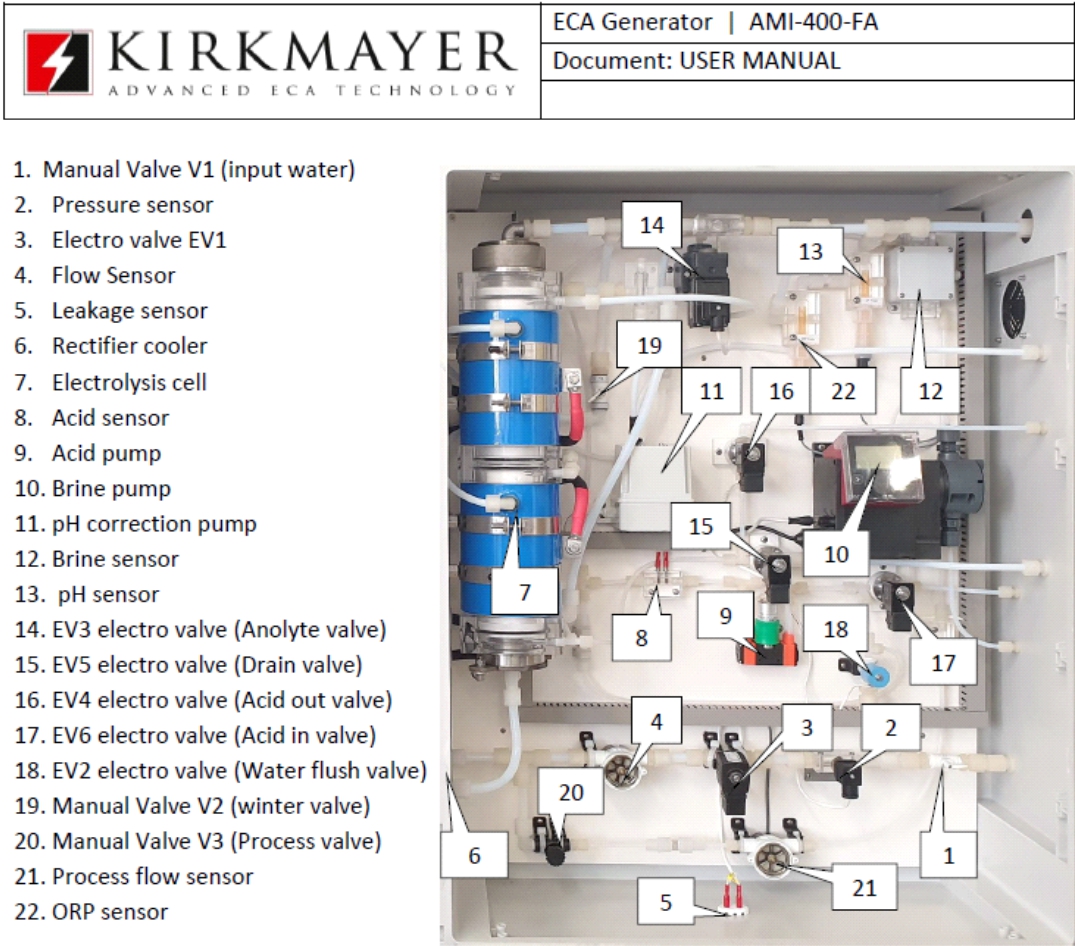
Reference the User Manual for your system generator and go to the Controls and connectors – hydraulic enclosure section. The hydraulic parts listing will display the location and the part.
Part Identification
Reference the User Manual for your system generator and go to the Controls and connectors – hydraulic enclosure section. The hydraulic parts listing will display the location and the part identification.
Example: Controls and connectors – hydraulic enclosure section “AMI-400 FA System Generator

Maintenance
Trouble Shooting
What may appear to be trouble is not always a real problem. Re-start the unit a couple of times. See if it helps. If not, you can see most issues which might influence smooth performance of the unit such as low pressure/flow of the mains water, low quality of brine etc. on the PLC Screen.

Power Supply to the generator is located inside the electrical panel compartment. If for some reason due to an electrical surge the breaker may have been tripped, you will have to manually reset it. We recommend that your unit be protected at the main electrical panel by installing a surge protector breaker which provides the electrical supply to your generator.
Get to know the PLC settings. When the system is running smoothly familiarize yourself with the settings from your system via Operational Settings and Extended Information. Note the settings for each display on the PLC screen as this will be a guideline when the system is adequately performing. If you see a dramatic change in a particular setting, then this is a good indication that there could be a system issue affecting the performance.
Two Key PLC Screen Displays
These PLC Screen Displays will identify most issues which affect the system performance.
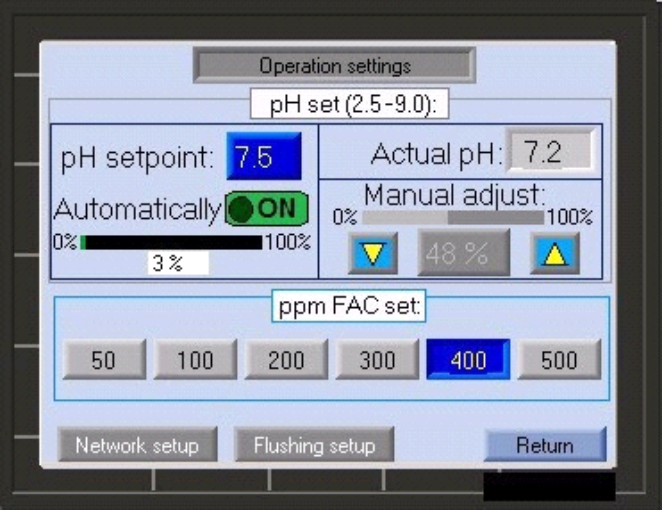
Operation Settings PLC Screen
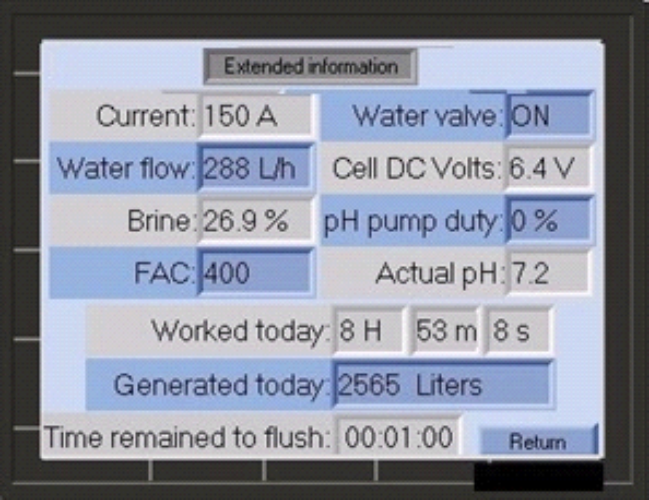
Extended Information PLC Screen
Technical Support Plans and Costs
New System Purchase and Installs:

After 90 Days - Technical Support Plans
BASIC PLAN
90 Days
Maximum 3 Technical Calls
*Whichever Comes First
$300.00
SILVER PLAN
180 Days
Maximum 9 Technical Calls
*Whichever Comes First
$750.00
GOLD PLAN
365 Days
Maximum 15 Technical Calls
*Whichever Comes First
$1200.00

PLC System Diagnostics
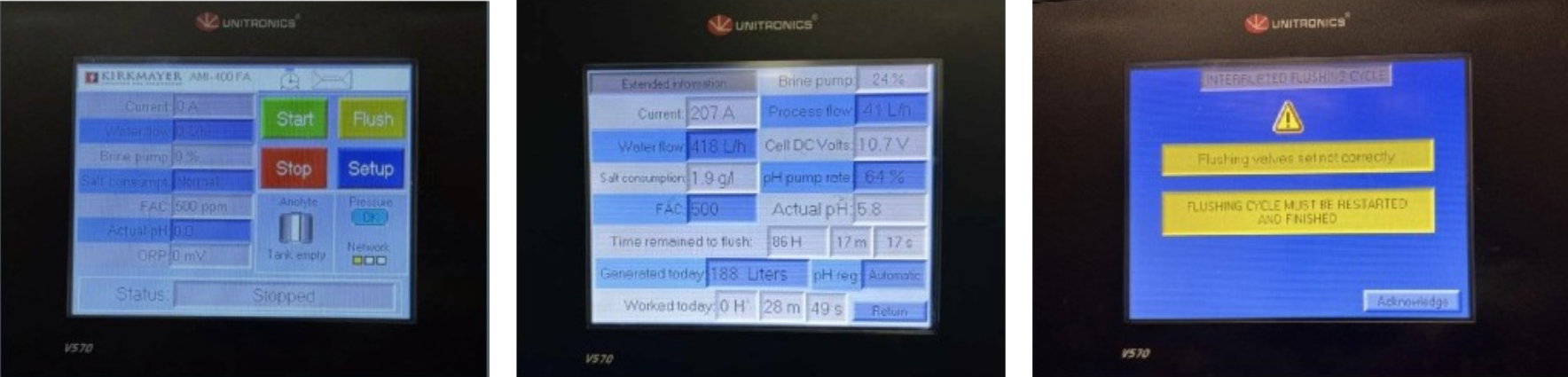
It will be difficult to identify your issue without first receiving feed input from your PLC Screen. You will be requested to provide us a current snapshot of the PLC Screens via a photo and/or a CLEAR SHORT 20-30 second video of the hydraulics (slowly tape this area so our technical team will be able to view) and upload these for viewing prior to our call as noted below.
- Provide a current PLC Screen picture and or video of the system running using the “EXTENDED SETTINGS SCREEN” if the system is able to operate.
- Provide a current PLC Screen picture or video of any “Alarms” showing on the PLC Screen.
- Provide as much detail about the issue as possible:
- Description
- Photos
- Short Video (Best)
Generator System Issue -
Contact Information and Details
THANK YOU FOR
REACHING OUT
Your inquiry is very important.
We will be in touch shortly!
Mailing Address:
11-1673 Richmond Street
PMB 110, London, ON
N6G 2N3
1.888.752.3080
TECHNICAL SUPPORT PLANS
Technical Support Plans -
Choose the plan that is right for you!
BASIC PLAN
90 Days
Maximum 3 Technical Calls
*Whichever Comes First
$300.00
SILVER PLAN
180 Days
Maximum 9 Technical Calls
*Whichever Comes First
$750.00
GOLD PLAN
365 Days
Maximum 15 Technical Calls
*Whichever Comes First
$1200.00
Technical Support Plan Purchase
Contact Information and Details
OEM PARTS
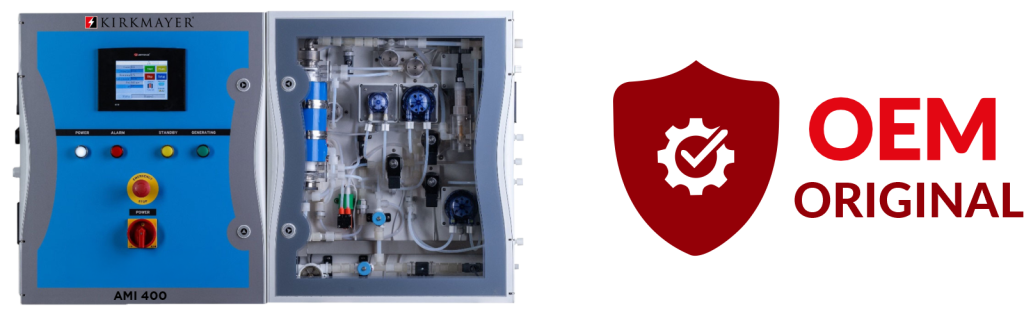
Why Use Kirkmayer OEM Replacement Parts
Using OEM Kirkmayer replacement parts for your ECA system generator is important because they are built to the original specifications, which helps preserve fit, performance, reliability, and safety. In general, genuine OEM parts also help protect warranty coverage and reduce the risk of downtime or secondary damage from incompatible components.
Why Kirkmayer OEM Parts Matter
- Exact compatibility. All Kirkmayer OEM parts are designed for the specific machine, so they fit and function as intended instead of being “close enough” replacements.
- Stable performance. Properly matched parts help the generator maintain output quality and operating efficiency over time.
- Warranty protection. Kirkmayer ties warranty coverage to genuine parts use, and non-OEM parts can create coverage problems and system warranty claims could be declined.
- Lower long-term risk. Cheaper substitutes can save money upfront but may lead to faster wear, more repairs, or even system failure later.
- Better safety and support. Genuine Kirkmayer parts are tested to work within the original system design, which reduces the chance of unsafe operation and makes troubleshooting easier.
Required Information to Assist You
With the Right OEM Replacement Part
- Locate and note the System Serial Number located on the top left side wall of the system. This will assist us to determine the correct part for the model and date of manufacture to ensure the correct OEM Part is selected for your system.
2. Part Identification: Reference the User Manual for your system generator and go to the Controls and connectors – hydraulic enclosure section. The hydraulic parts listing will display the location and the part identification.
SAMPLE:
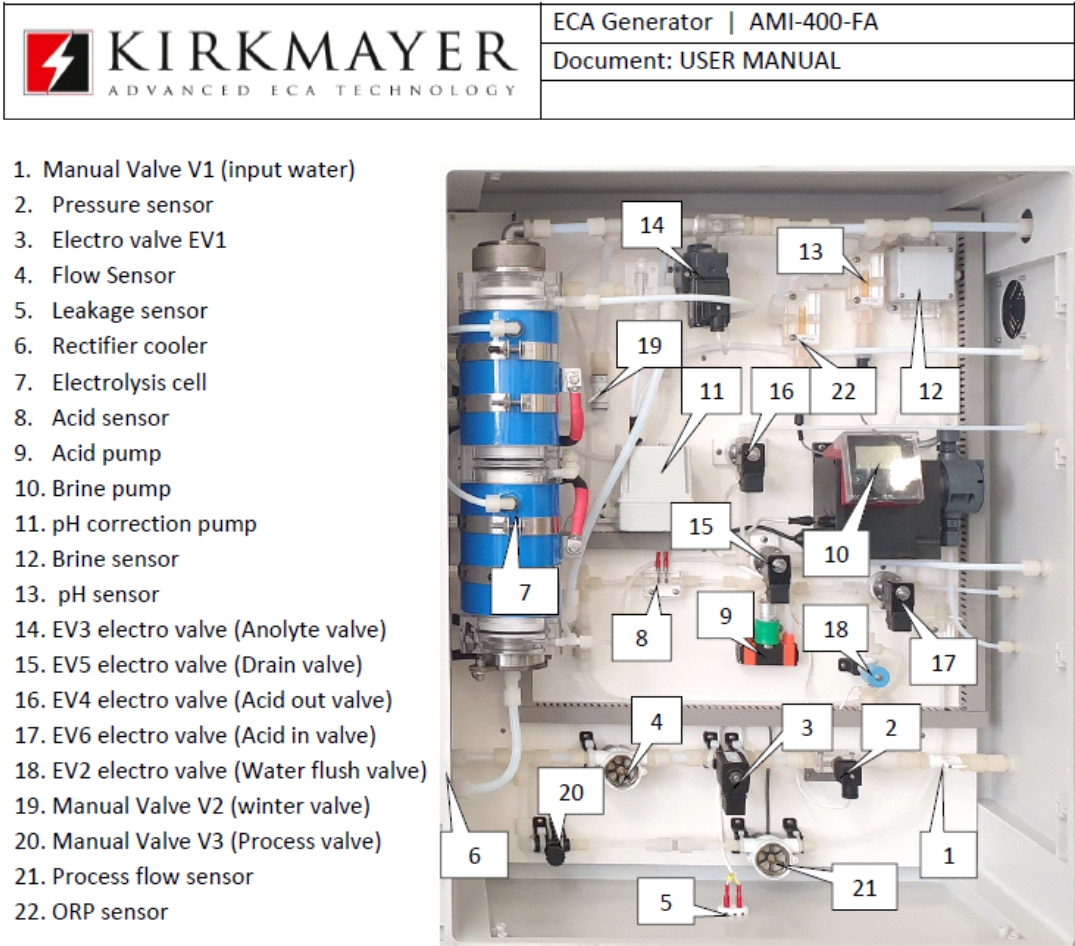
and connectors – hydraulic enclosure section” noted in the user manual:
3. Complete the Contact Information: By completing the contact information we will reach out to you to discuss and confirm your OEM replacement parts and provide you with cost and availability.
CONTACT US
THANK YOU
FOR
REACHING OUT
Your inquiry is very important.
We will be in touch shortly!
Mailing Address:
11-1673 Richmond Street
PMB 110, London, ON
N6G 2N3